A digital preview for Main Character Coffee
Good coffee, better plot, better back office.
A website that feels like your trailer, plus the system behind it: order ahead for each pop-up, event bookings with signatures and deposits, and an office that runs the trailer from your phone.
You run Main Character Coffee. I'll handle the digital side.
You don't need to become a web developer, SEO expert, AI expert or software developer. You already have a business to run.
You tell me how Main Character Coffee works. I build the technology around it.
The journey
Six connected pages, one set of sample data
Click anything. What a customer does on the website shows up in the office, and what the owner does in the office shows up for the customer.
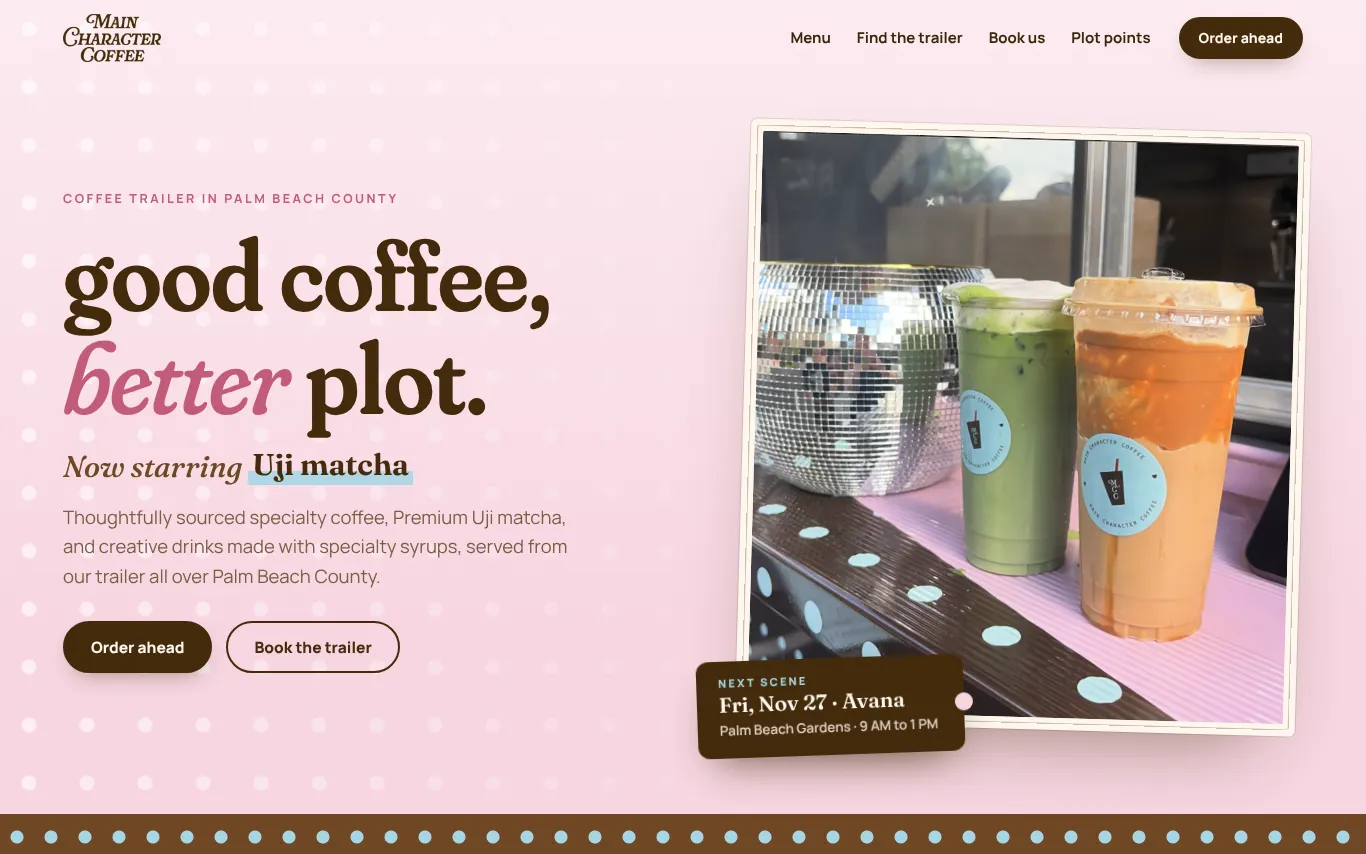
The website
A journey in color chapters: next pop-ups, the menu as a cast, the Holiday Collection, booking and plot points.
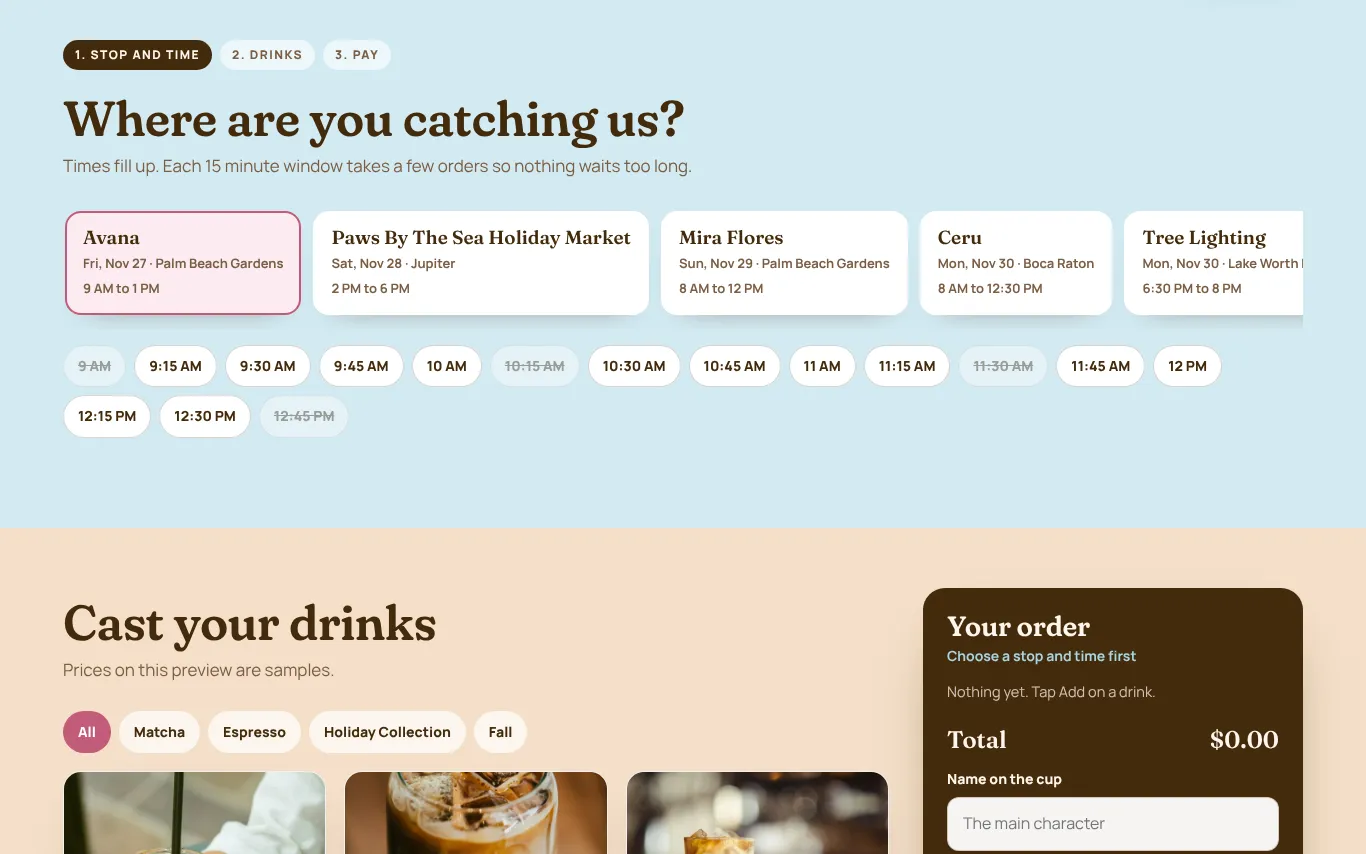
Order ahead
Pick the stop and a pickup time, customize drinks, pay, and watch the order go from script to ready.
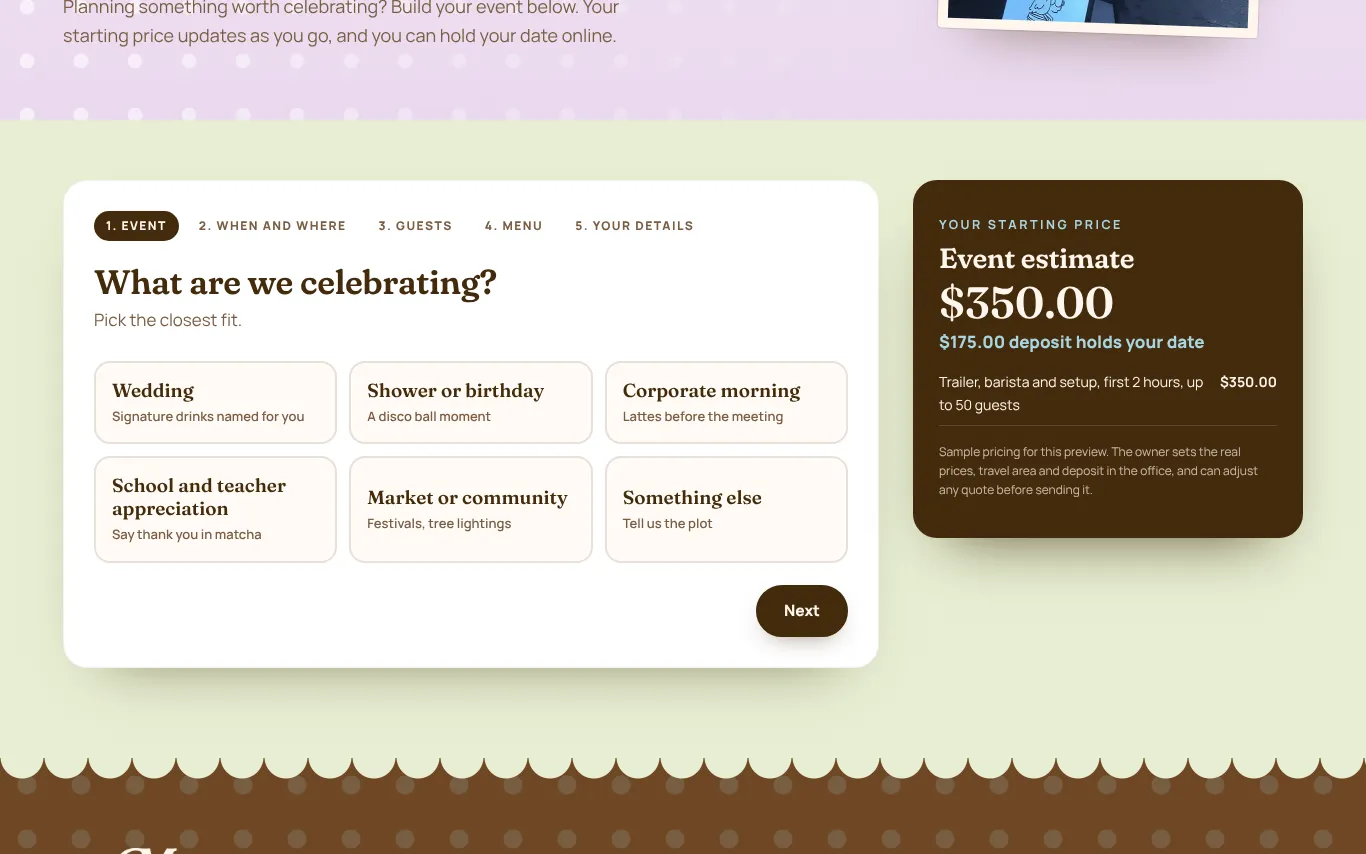
Book the trailer
Event builder with a live starting price, travel by town and add-ons. Request it or book it.
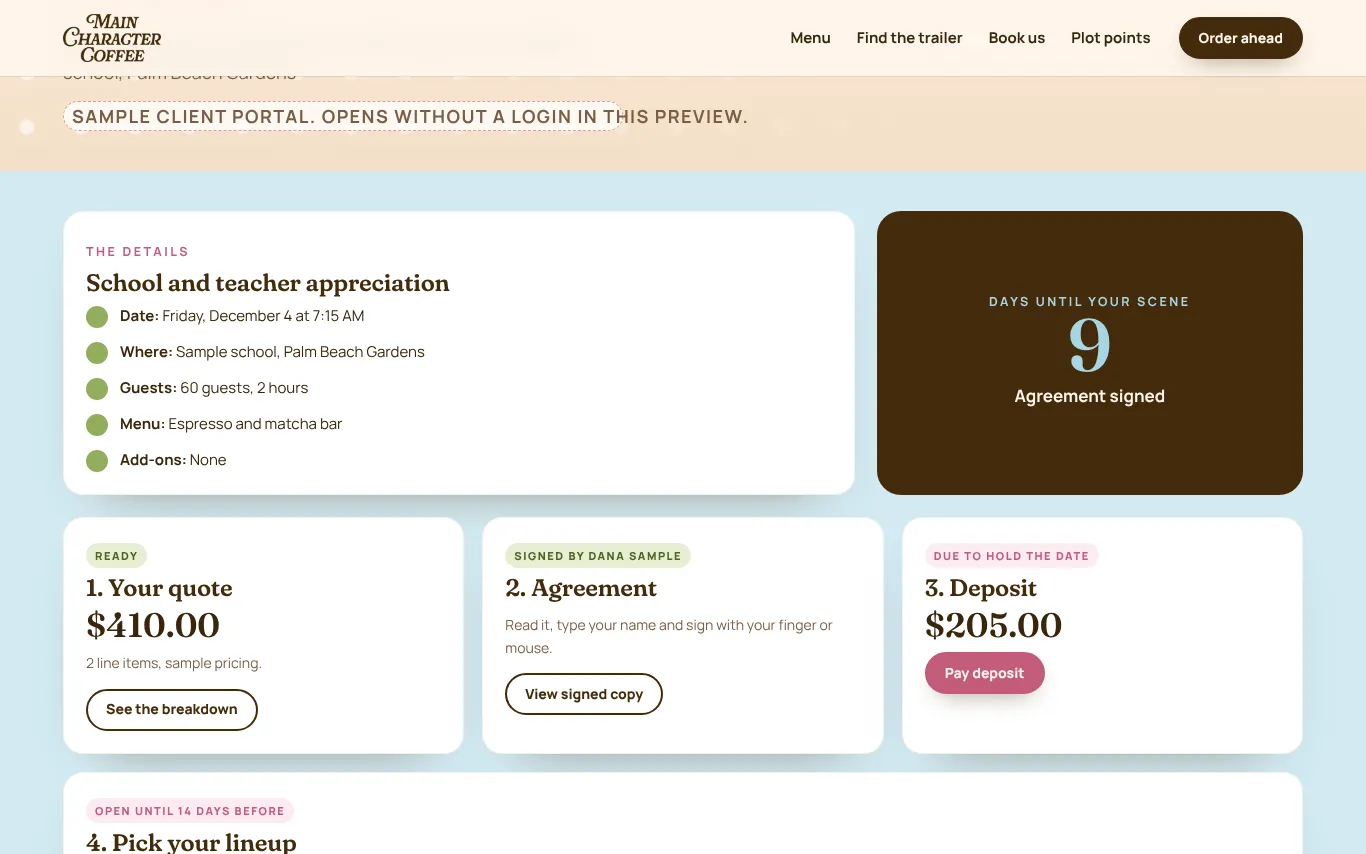
Event page
The client's own page: quote, agreement signed with a finger, deposit, drink lineup and countdown.
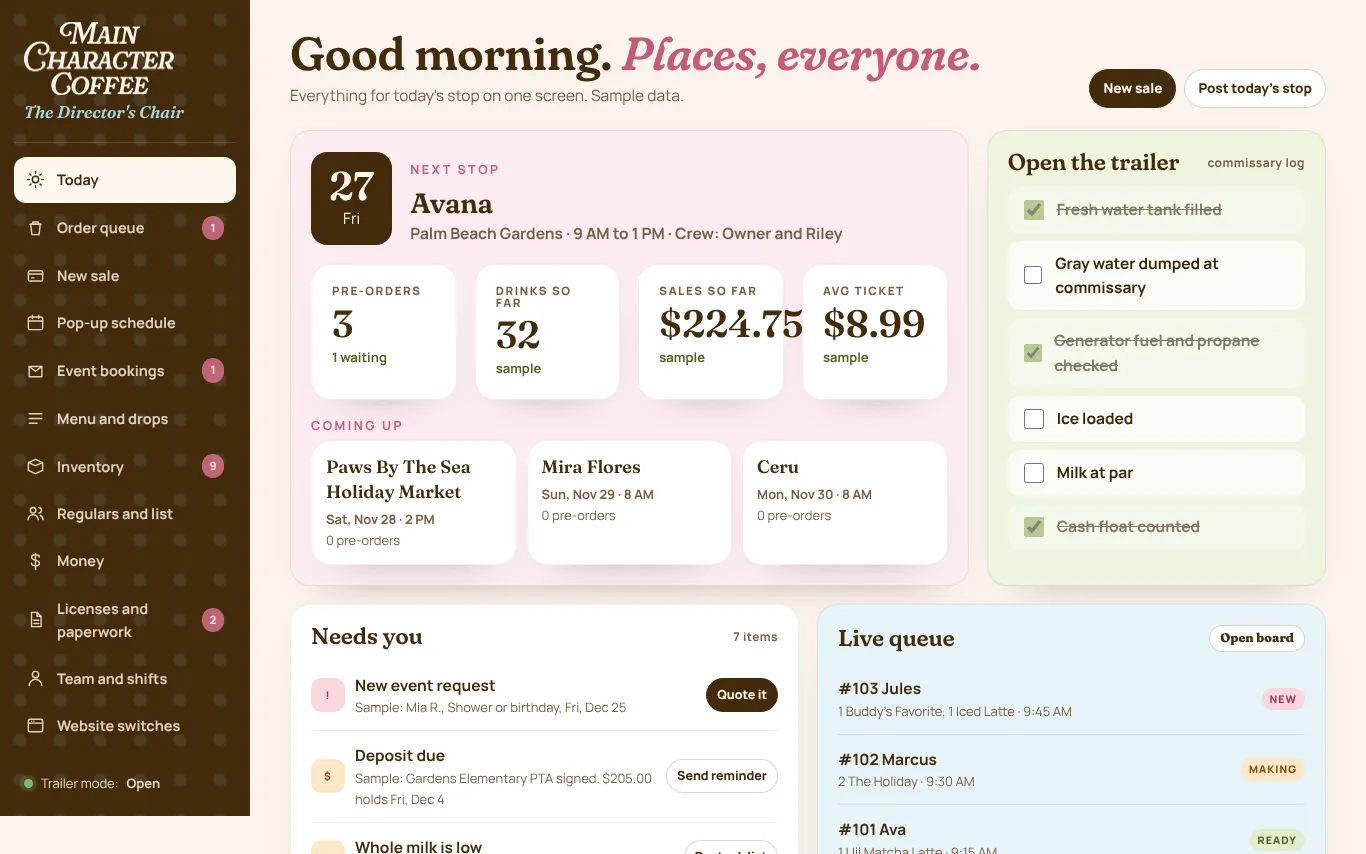
The Director's Chair
Today's stop, open-the-trailer checklist, order queue, window register and everything that needs her.
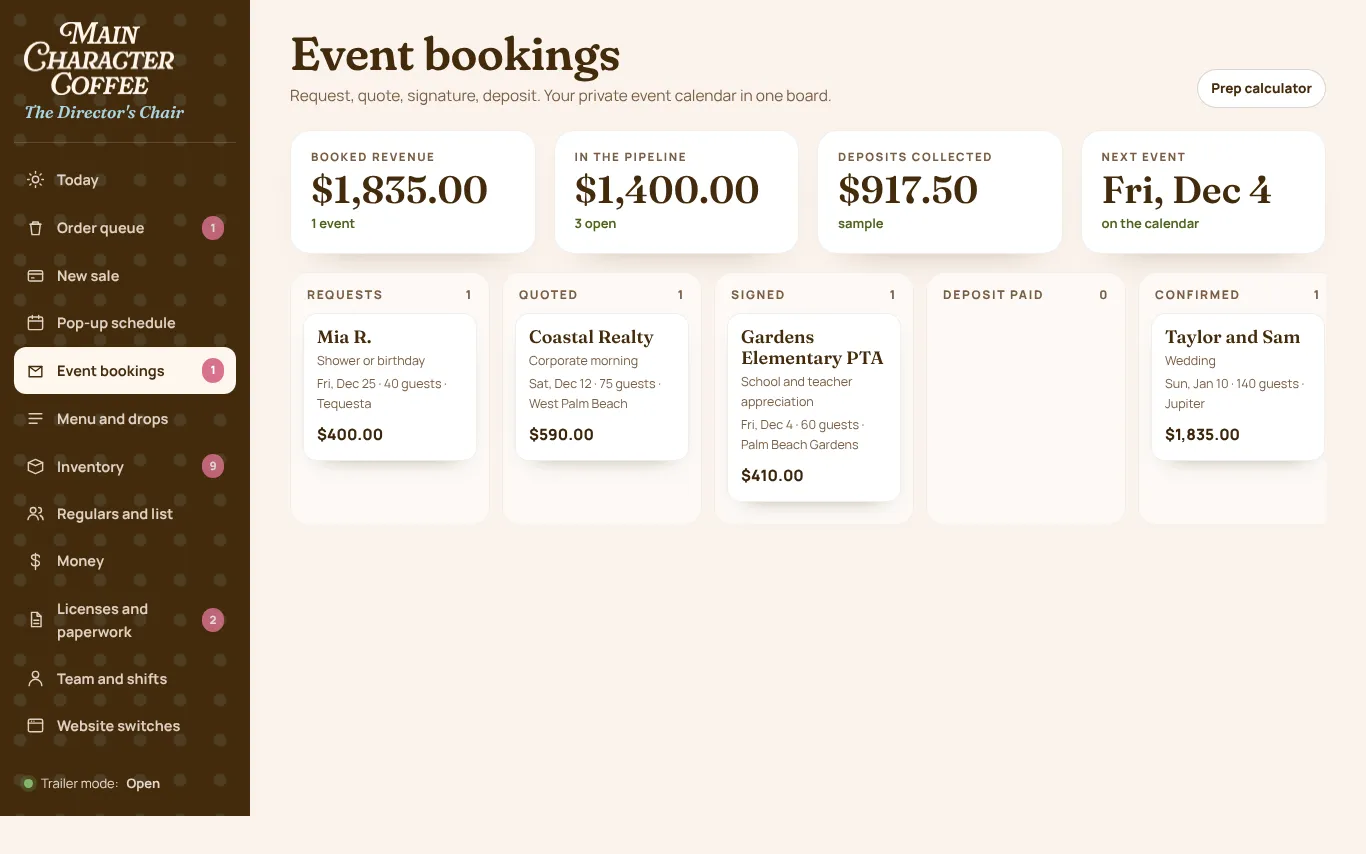
Events, menu, money, paperwork
Booking pipeline with prep math, margins per drink, sales by stop, inventory par and license reminders.
Three guided scenarios
Try these in order
Win new event work
- Open Book the trailer, build a wedding for 120 guests in Palm Beach Gardens.
- Choose Send as a request.
- Open Event bookings: it is in Requests, flagged New. Open it and send the quote.
Help a client say yes
- Open the event page (the PTA sample is ready for a deposit).
- Pay the deposit with Apple Pay (simulated), then pick a lineup of drinks.
- Back in the office, the card moved to Confirmed with the lineup and day-of prep math.
Handle a rush at the window
- Place an order on Order ahead and keep that tab open.
- In the order queue, start it, then mark it ready. The customer page updates.
- In Menu and drops, 86 a drink. The website says sold out.
What a coffee trailer needs
Researched for a mobile coffee business in Palm Beach County
Most trailers stitch this together with a link page, a Canva schedule, a form, DMs, spreadsheets and a POS. This preview puts it in one place.
What works in this preview
- Every button, form and switch on all six pages.
- Orders, event requests, signatures, deposits, menu switches and list sign-ups move between pages.
- Reset demo (top bar) restores the sample data.
What is simulated
- Payments, emails and texts: nothing is charged or sent.
- Prices, costs, customers, events and money figures are sample data. Drinks, photos, the logo and the pop-up schedule are the business's own.
- Data lives in this browser only (a demo convenience, not security). The event page opens without a login.
Discovery questions
What we would ask before the real build
- How do customers find out where the trailer will be today?
- Do people want to order ahead, or is the window the experience?
- What does an event usually include, and how do you price it today?
- How far will you travel, and what do you charge past that?
- Do you take a deposit? How much, and when is the balance due?
- Which POS do you use at the window now, and what do you like about it?
- Who else works the trailer, and what should they see?
- What do venues and markets ask you for (COI, license, menu)?
- Which drinks carry the business, and which are seasonal?
- Do you want a loyalty program, and what should the reward be?
The goal isn't just to build Main Character Coffee a better website. It's to build Main Character Coffee a digital platform worthy of the company you've already built.
Sea Grape Labs. Built around your business.